Refrigeration Maintenance | SaaS
Aligning complex regulatory logic with user mental models to solve years of usability and technical issues
Managing refrigeration compliance in this SaaS web application requires coordinating equipment data, maintenance history, and complex regulatory logic across multiple roles. Over time, the system struggled to handle this complexity as information became impossible to find, technicians didn’t know what to do, and developers were bogged down fixing manual data issues.
I redesigned how equipment is visualised and managed in the new application to reduce human error and simplify data management for everyone.
The challenge
Back-end development was already underway, so design had to align with implementation in progress.
The new application’s strategy and design were evolving in real time, so I had to ensure that the new design worked cohesively with the rest of the system.
What is this product used for?
Organisations in food retail and commercial facilities use this platform to remain compliant in highly regulated HVAC-R industries.
The application shows users exactly what is happening with their refrigeration and leak-detection equipment and applies complex regulatory logic to guide technicians on the specific maintenance activities required to stay compliant.
Creating simplicity by creating alignment
These problems affected everyone. Our users, engineers, product managers, and support teams were all feeling the same pain from different angles. I started with a workshop to deconstruct this complexity, bringing everyone together to share their ideas with design techniques like Crazy 8s.
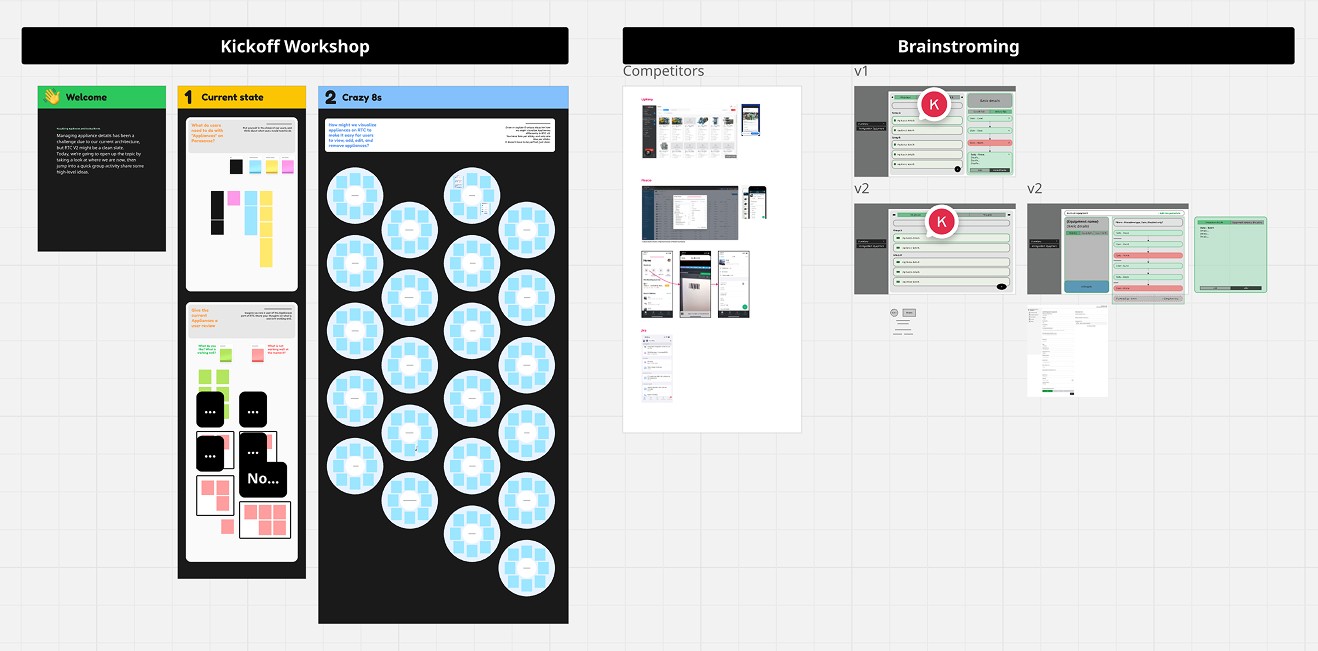
Workshop and collaboration space
⚖️ Design decisions
The legacy compliance logic couldn't be changed, so the design had to work around the existing framework.
The experience needed to be mobile-first for field technicians, despite the rest of the platform not being responsive yet.
As a compliance tool, the design had to be flexible enough to fix real mistakes while ensuring that the data is reliable and accurate.
Evaluating the legacy application to learn what not to do
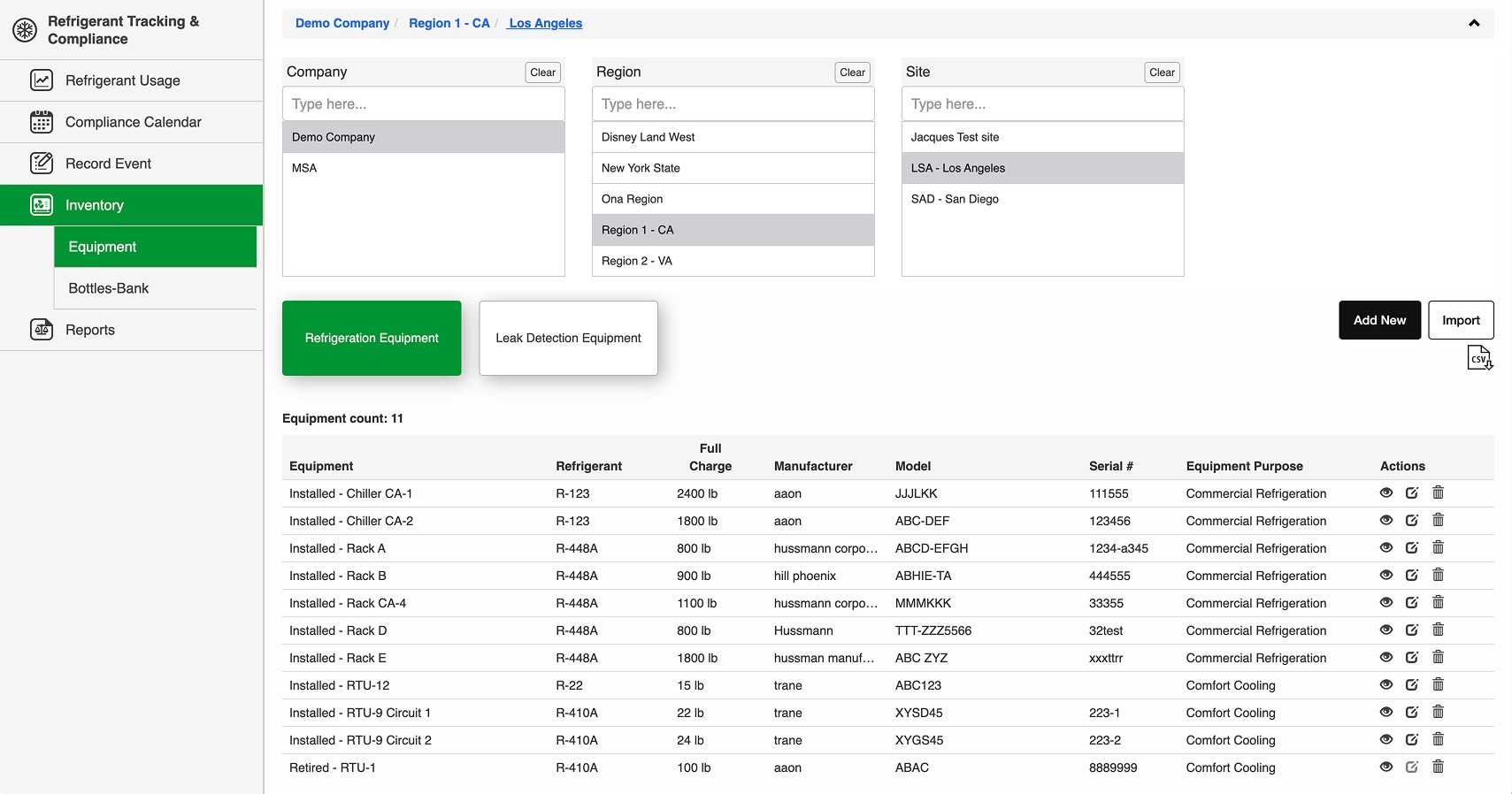
Hidden Data: Users had to click an "eye" icon to see equipment details, but even then, the information was incomplete. This forced users to hunt through different parts of the application to find what they needed.
Wrong Information Architecture: Critical details like gas type and capacity were not editable by the administrators because they affect compliance logic. If these needed to change, engineers had to tediously update the database.
Not Insightful: This list does not help technicians understand if everything is OK or what to do if it’s not.
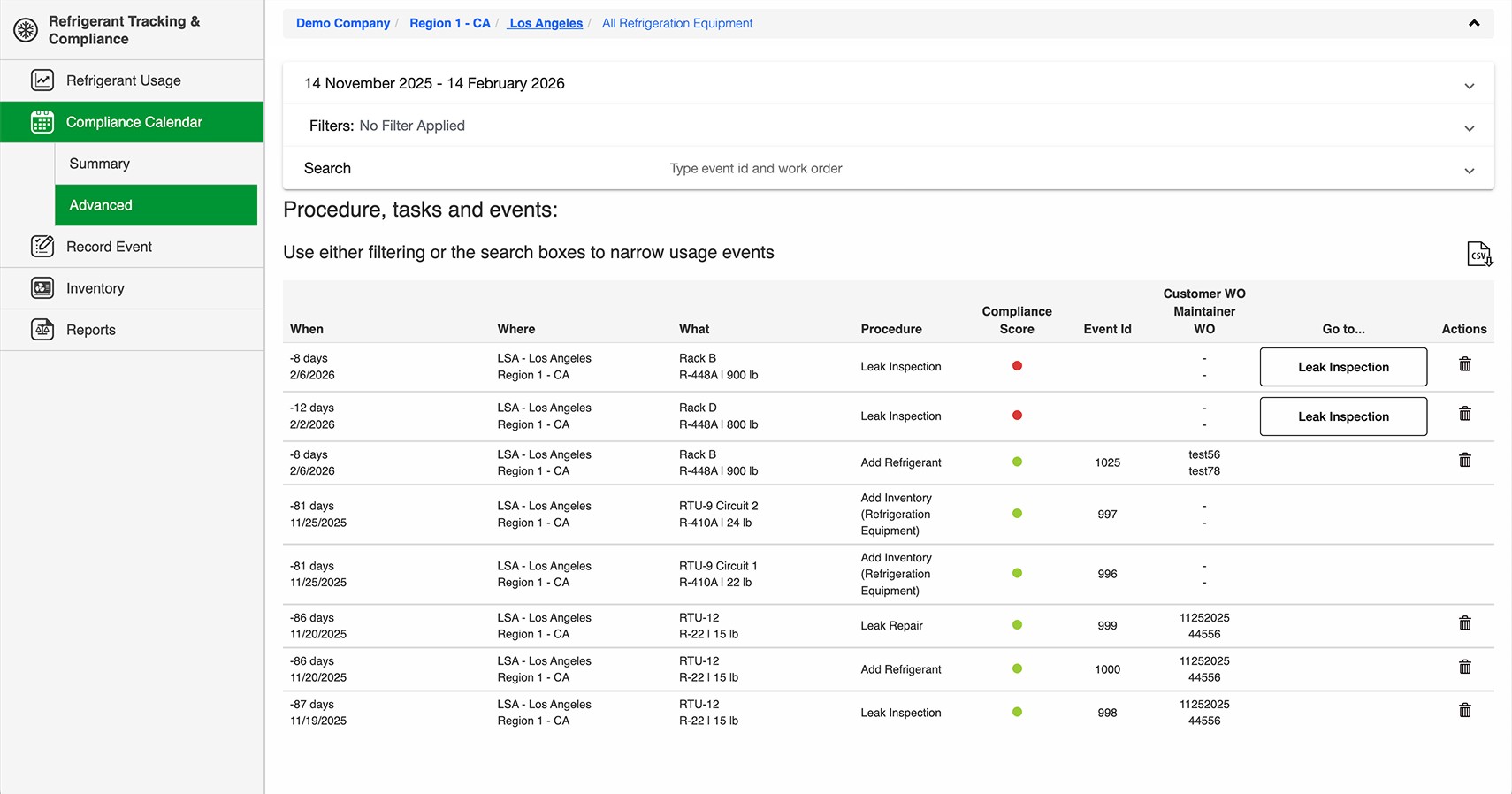
Unclear What to Do: There wasn’t an easy way to see which maintenance events occurred on a single piece of equipment and what is required next. This often led to technicians capturing the wrong events.
Making our first design improvements to this product
The goal was to resolve the legacy issues haunting this application by designing a new Inventory view that brought all necessary functionality into a single, logical place.
I worked closely with our customer experts to ensure the feature solved real-world needs while considering how this feature will evolve with the redesign of the rest of the application.
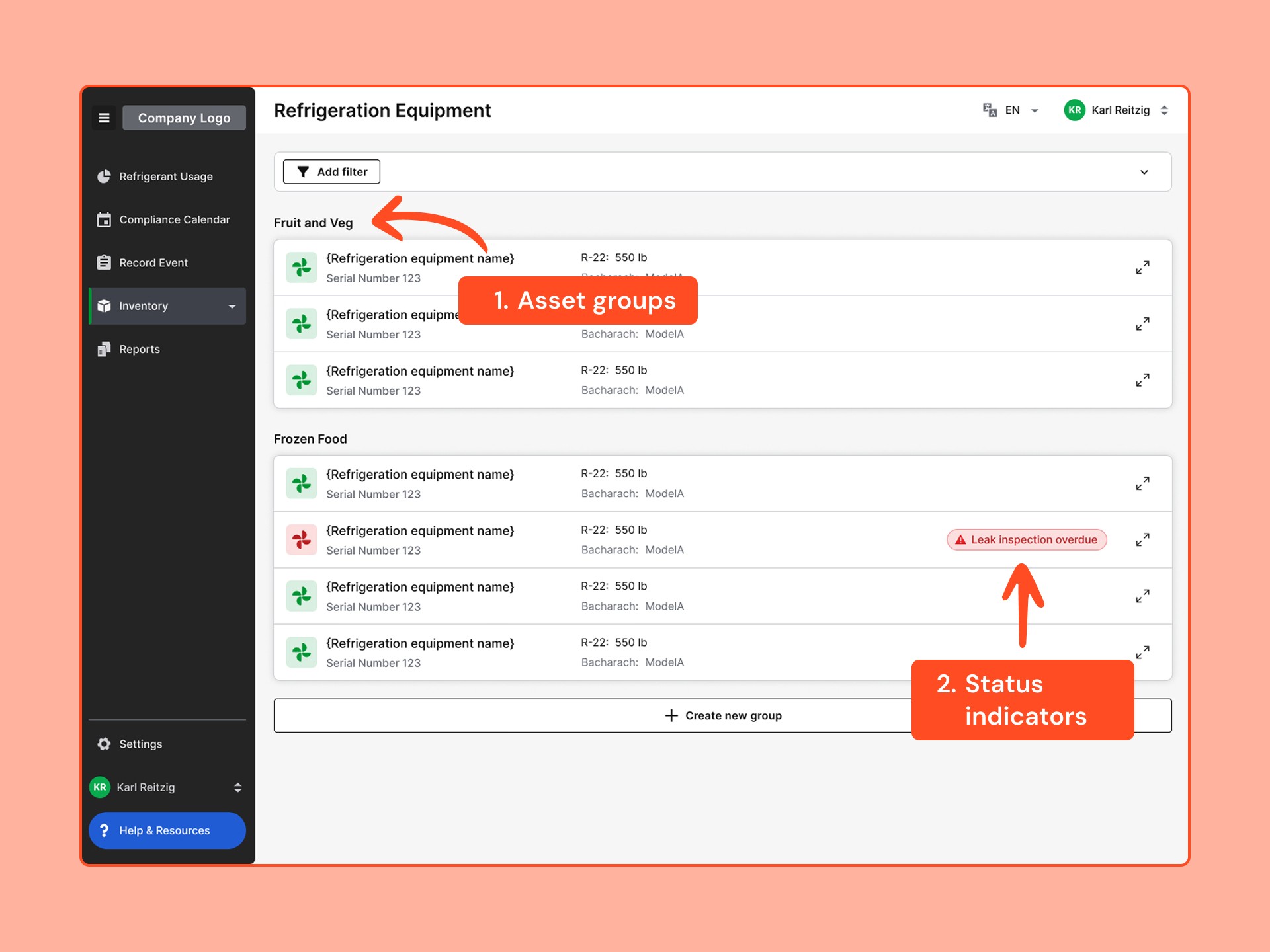
I made it easy for users to locate their refrigeration equipment by enabling them to group their assets the way that they think about them in the real world.
Instead of digging through tables of data, users can now instantly identify equipment requiring urgent attention, preventing potential regulatory lapses.
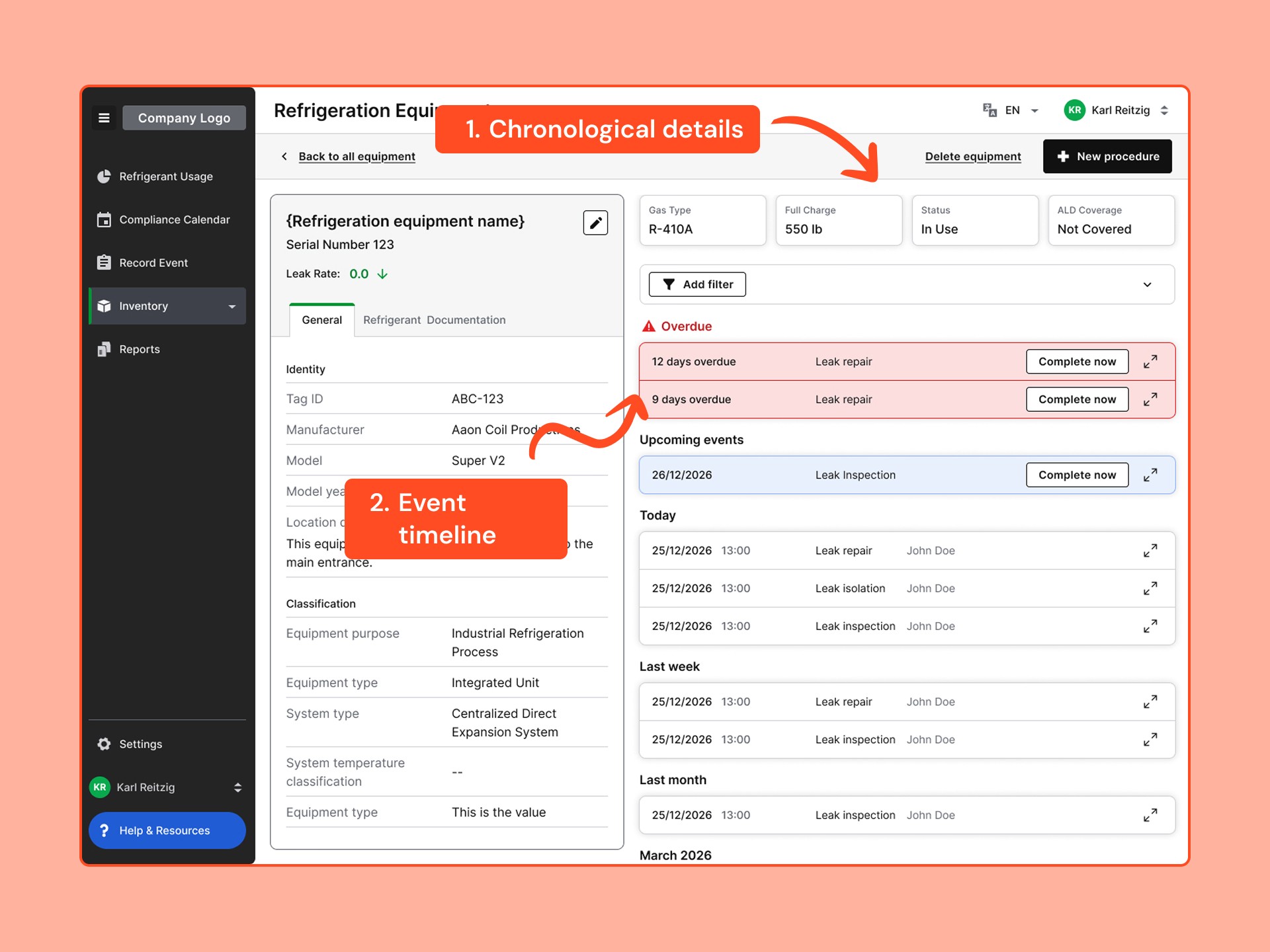
I removed the need for technicians to go to another page to record maintenance events by integrating maintenance schedules directly into the equipment view, clearly showing the automatically scheduled events for that equipment. This aligns more closely with their equipment-centric mental models to reduce data entry errors caused by technicians completing the wrong events.
Some equipment details, like the gas type and capacity, are a result of maintenance events. So I moved them to the timeline to indicate that they are values that change over time which solves our main pain point by allowing users to edit those details in their own timeline view.
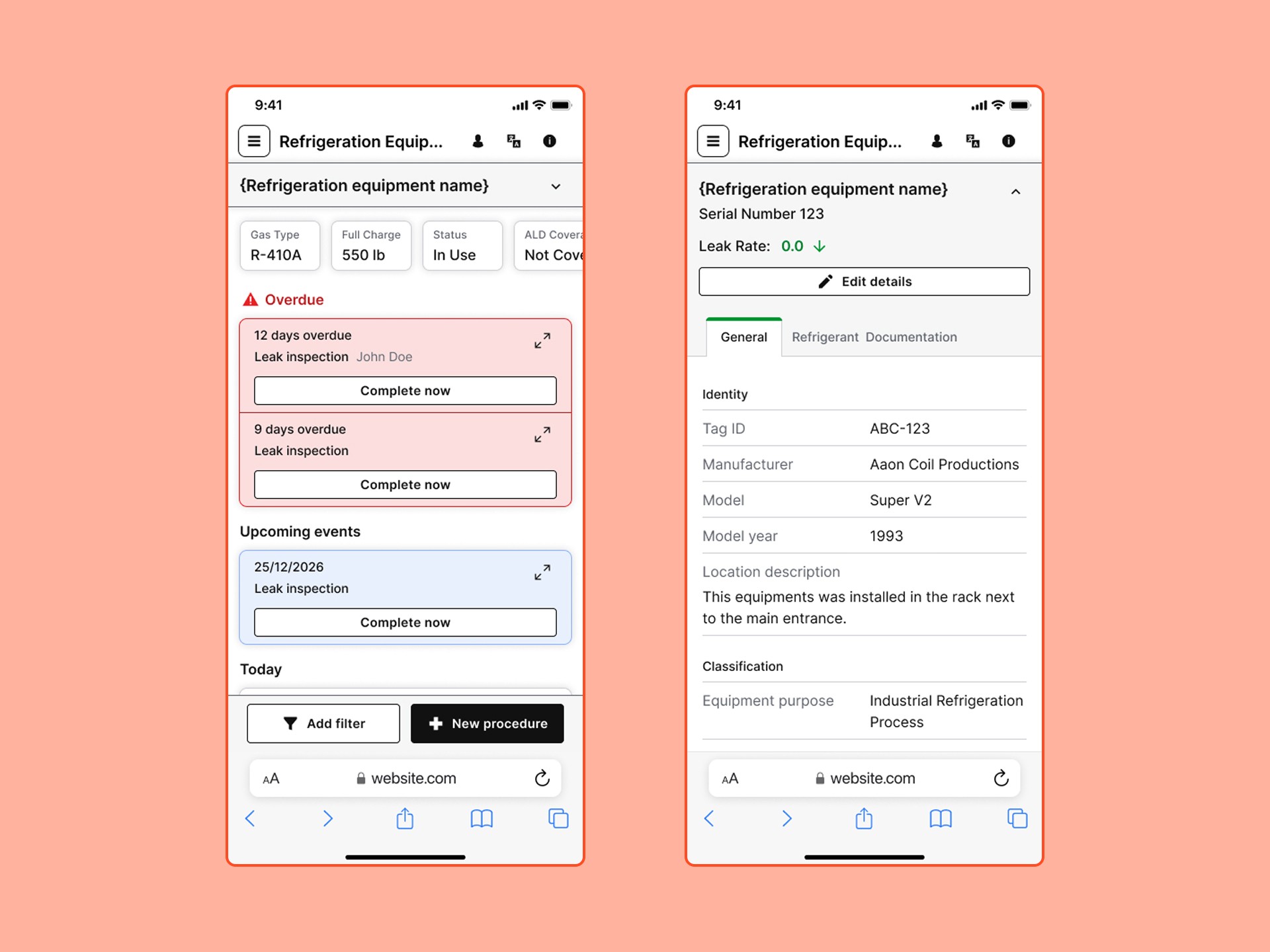
This application will be used by technicians to record their maintenance work in the field, so I made sure to design the interface in a way that it’s fully responsive so that they keep choosing our product.
How it ended
After reviewing the designs, the team was very optimistic and believed that my design would lead to significant usability and data management improvements.
This meant that the engineering team could begin building the front end to ensure that we meet our deadline.
These design decisions fed into the next phase of work, redesigning the compliance calendar to turn it into a functional tool for planning maintenance across entire profiles.